Native by design
A clean, responsive interface built for macOS. Familiar Mac conventions and a focused layout keep the experience fast and uncomplicated.
Open-source Neovim client for macOS
A native Mac client that stays out of your way. Fast, focused, and built around the way you already use Neovim.
Why iNeovim
Neovim is still the editor. iNeovim makes the surrounding workflow feel at home on a Mac.
A clean, responsive interface built for macOS. Familiar Mac conventions and a focused layout keep the experience fast and uncomplicated.
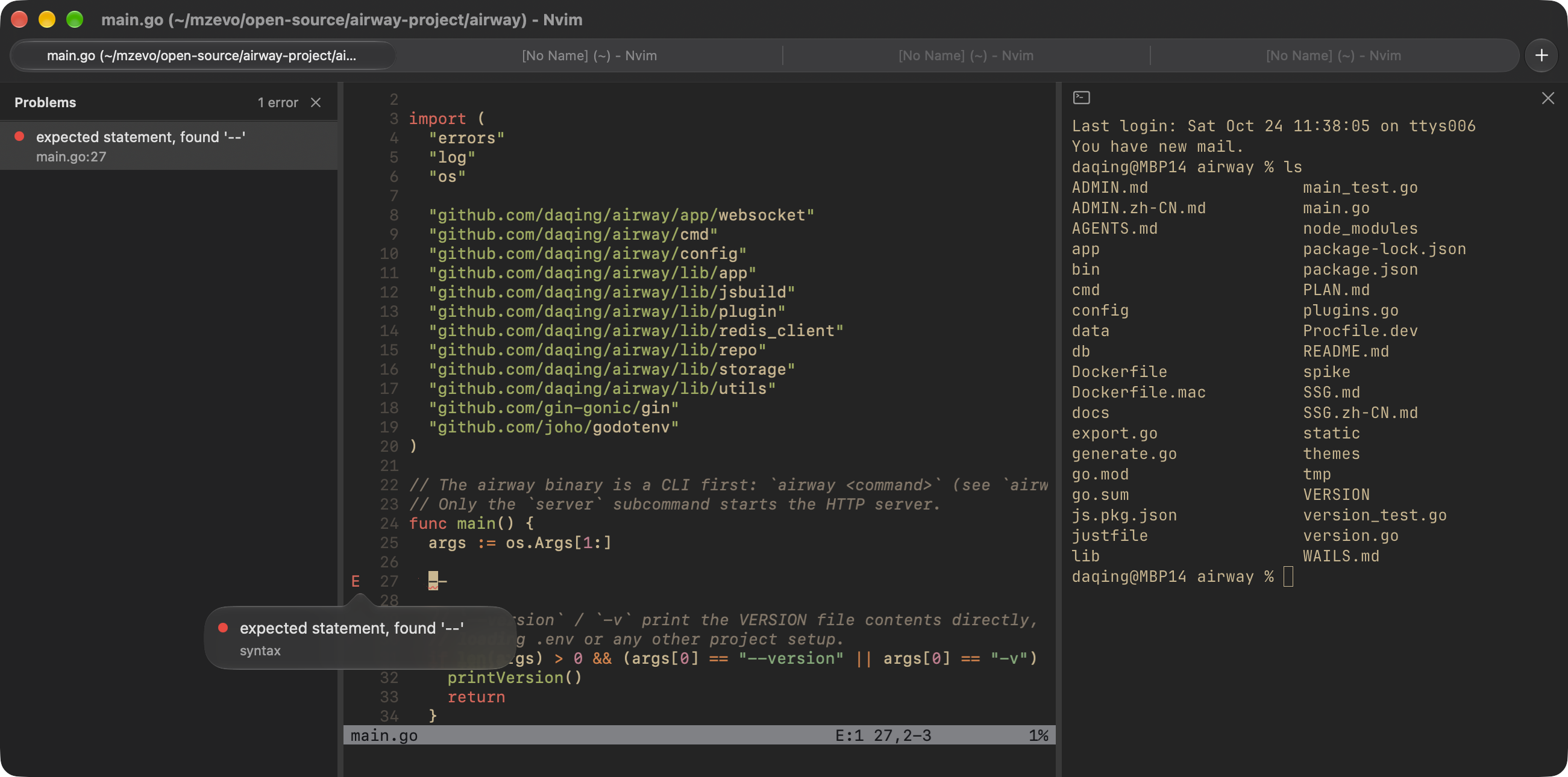
A dedicated terminal panel powered by the open-source libghostty library. Run commands alongside your code without leaving the window.
See what your language server is telling you. Click a diagnostic to read the details in a popover, right where you are working.
Open the Problems sidebar to review all LSP diagnostics in one place and quickly find what needs your attention.
Open source
iNeovim is fully open source. Explore the code, report an issue, or help shape the project on GitHub.